Board and calendar in one window
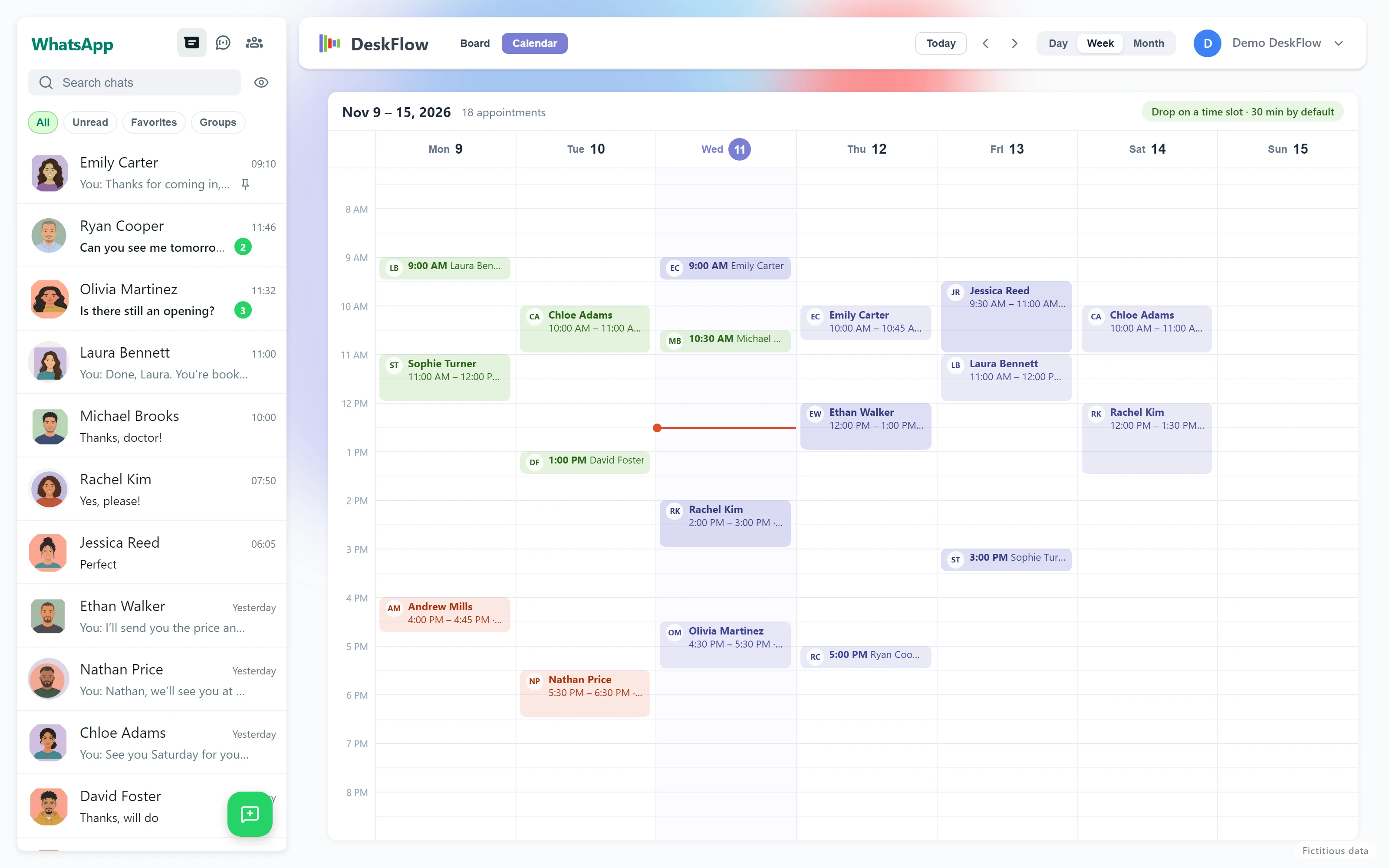
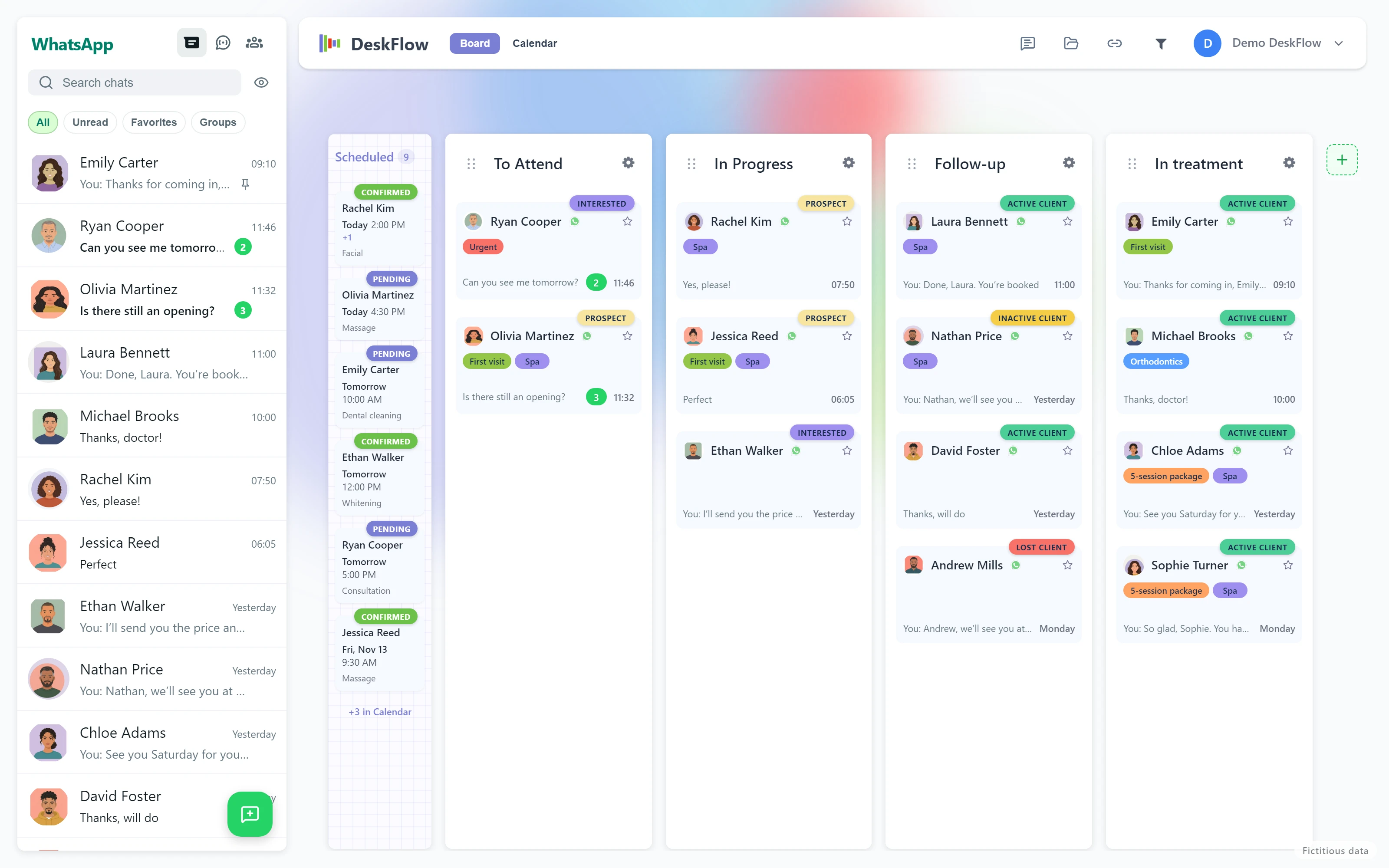
One button switches between your contacts board and the calendar. Day, week or month view, with Today, previous and next.
Book by dragging
Drag the patient’s or client’s card to a time: 30 minutes by default. In month view you drop it on the day and pick the hour. To move an appointment, drag it; to change its length, stretch it. If you drop it in the wrong place, there is Undo.
Each appointment with what it needs
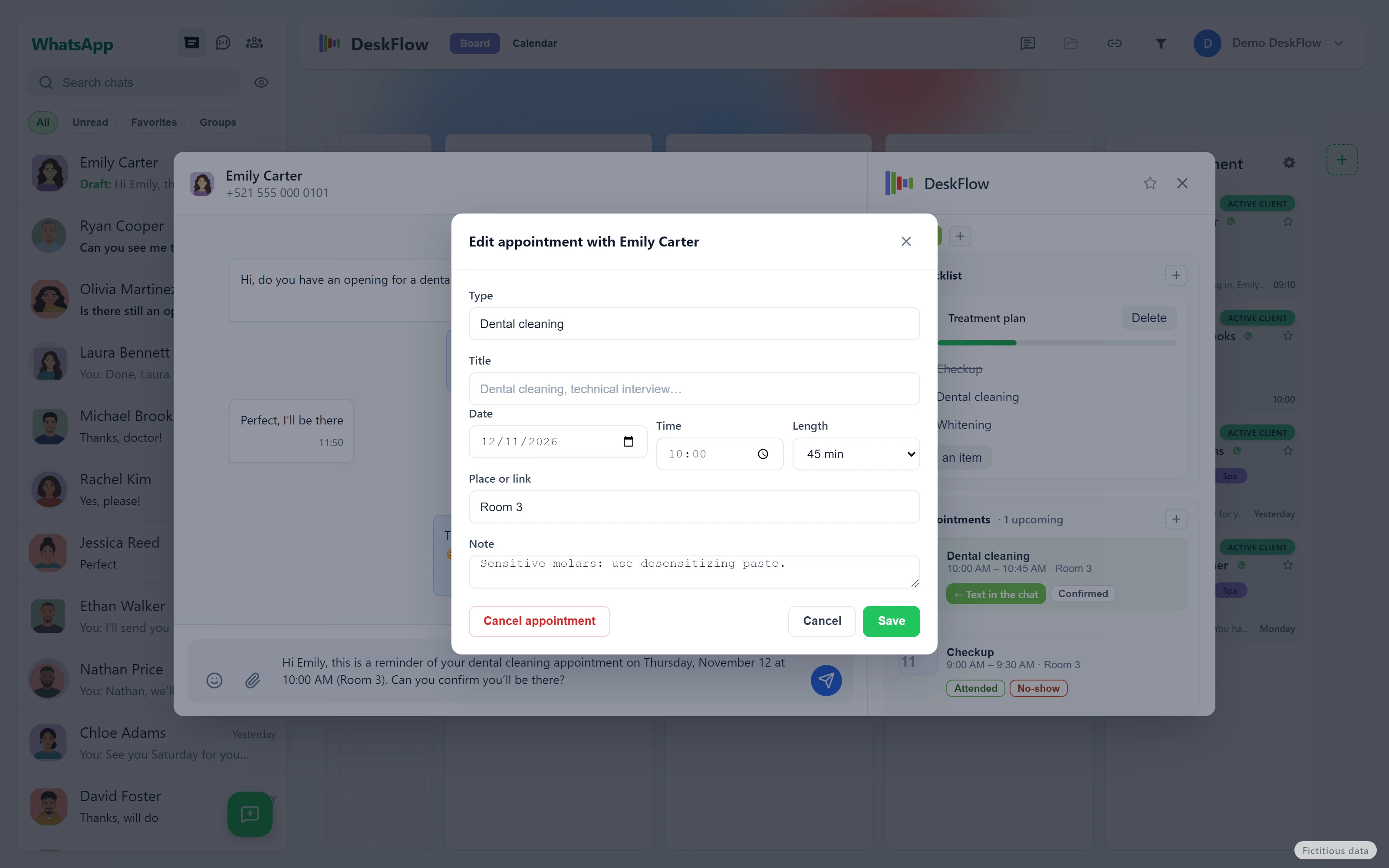
Type (Consultation, Dental cleaning, Massage…), title, date, time and length: 30 min, 45 min, 1 h, 1½ h or 2 h. The place or link —office, treatment room, Zoom— and a note.
No accidental double bookings
If that contact already has an appointment at that time, the app warns you before booking a second one: Book anyway or Cancel. When you pick a time, the taken ones are marked.
A “Booked” column on the board
Contacts with an upcoming appointment, the nearest first, marked Today and Tomorrow. You see at a glance who is coming.
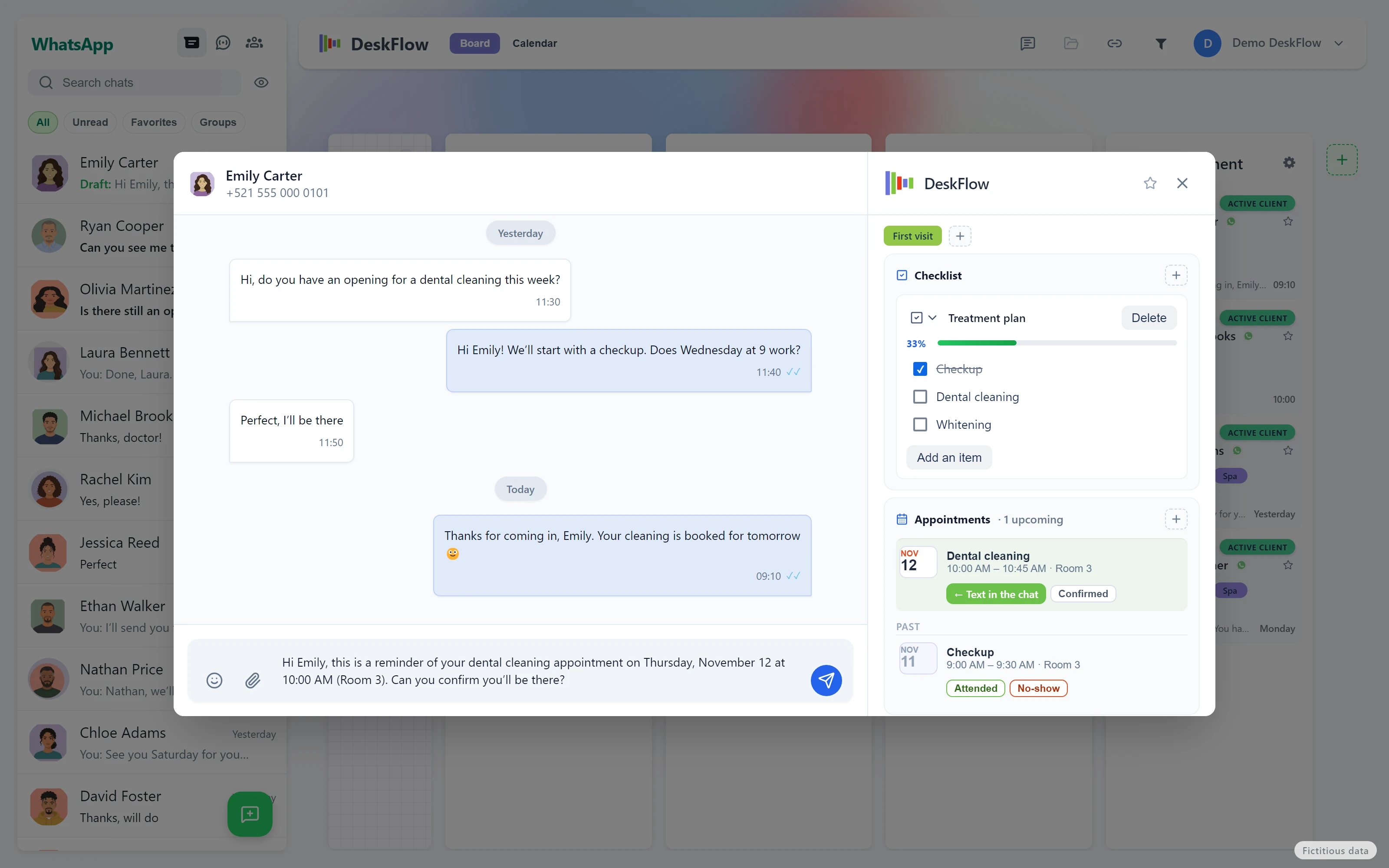
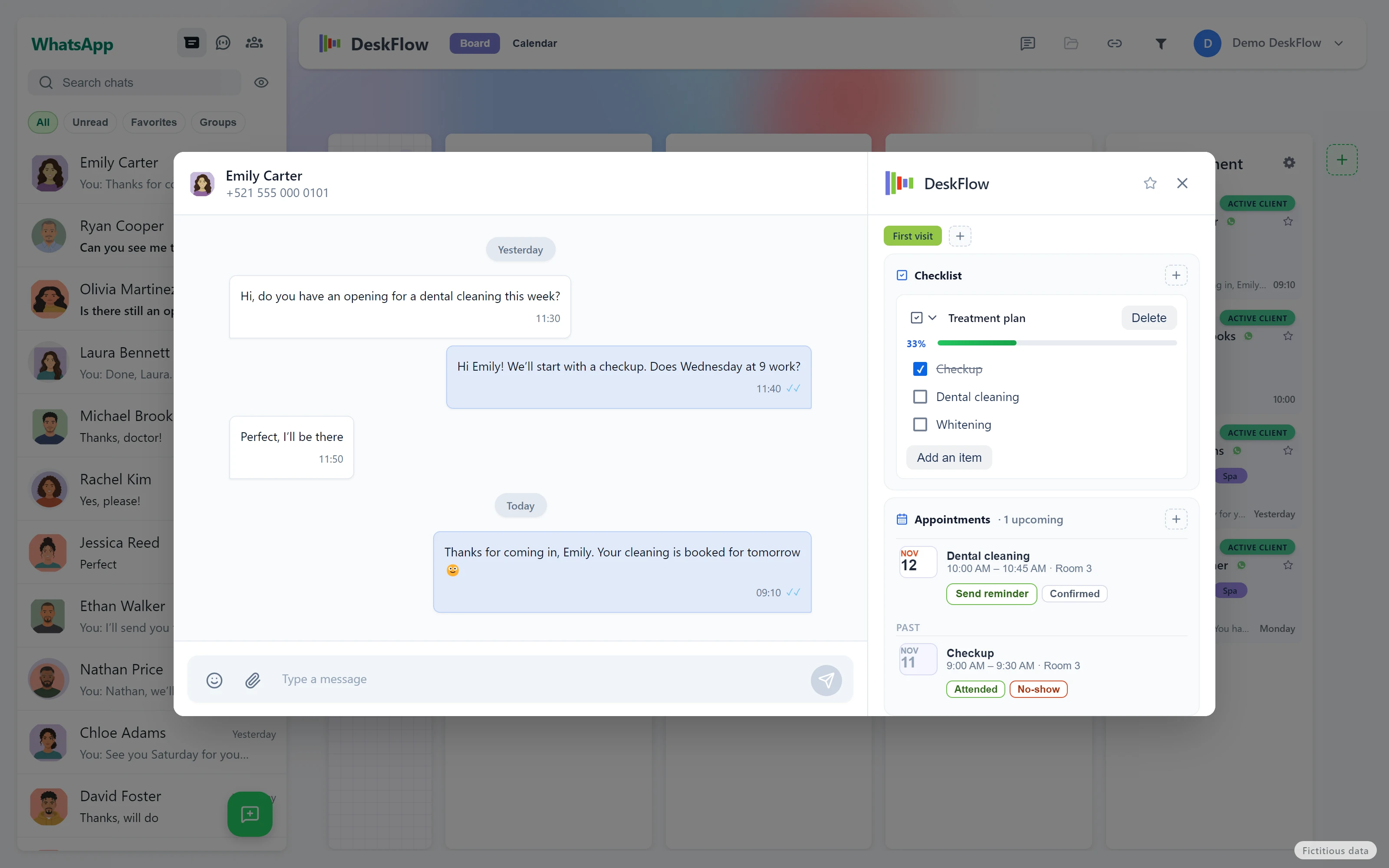
WhatsApp reminder in one click
“Send reminder” leaves the message written in the patient’s chat, with that appointment’s details. You send it from your own WhatsApp: it is not a bot and it is not a mass send.
The status of each appointment
Pending, Confirmed, Attended or No-show. Once the appointment has passed, the contact card shows the Attended and No-show buttons, so you see who misses often.
Everything in the contact card
Upcoming and past appointments, next to the chat, the notes and the labels. Canceling an appointment removes it from the calendar and leaves a note in the contact’s activity.
On your computer
The data lives in the desktop app, on Windows or Mac, not in a third-party cloud. It works on the WhatsApp your practice or spa already uses.
In Spanish, English and Portuguese
The reminder goes out in the app’s language.
 flowfunnel.io